SYNOLOGY HOSTED BY IKOULA
Your private cloud,
with complete peace of mind.
The power of Synology, hosted in our data centers in France. Your data remains under your control, in an environment designed to protect it.
Explore our offers3 solutions to meet your needs Choose the solution that best suits your needs
Choose your contract term
No contract-term discount.
Discounts: 12 months -5%, 24 months -10%, 36 months -15%, plus an additional 5% for upfront payment. Upfront payment is mandatory for 36-month terms. Discounts are added together.
Private storage
& secure file sharing
Synology DS124
Store
Share
Secure
- 1 bay
- 1 GB RAM
- Up to 8 TB
Private cloud
& backup
Synology DS224+
Collaborate
Back up
Centralize
- 2 bays
- 6 GB RAM
- Up to 16 TB
Backup
& business continuity
Synology RS822+
Back up
Consolidate
Plan ahead
- 4 bays
- 32 GB RAM
- Up to 72 TB
Prices excluding VAT.
*Discovery offer: 50% off for one month with code DISCOVERY50 on DS124, DS224+ and RS822+, regardless of subscription length or selected options, with setup fees waived. Excludes renewals. Offer valid until 31 December 2026 at 11:59 p.m. and can be combined with advance payment and/or minimum-term commitment discounts.
Synology applications
Synology applications for your business
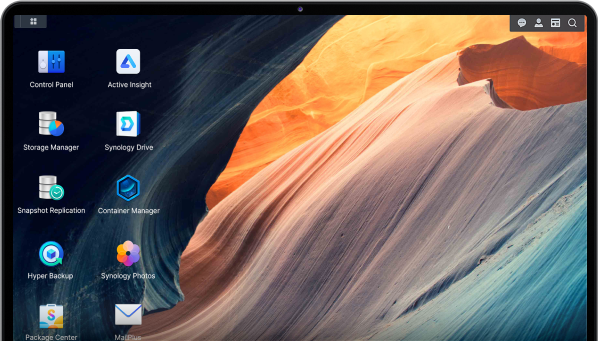
The Synology DSM interface lets you install applications tailored to your needs from the Package Center.
Synology Drive
File sharing and synchronization
Synchronize your teams' folders and share files with access permissions that you define.
Hyper Backup Vault
Receive Hyper Backup backups
Receive backups from other Synology NAS devices using Hyper Backup and keep an off-site copy of your data.
Active Backup for Business
Backup for compatible devices and environments
Centralize backups of compatible workstations, servers, and virtual machines on your NAS.
Active Backup for Microsoft 365
Backup of selected Microsoft 365 data
Back up selected Microsoft 365 data (email and files) with a compatible configuration.
Snapshot Replication
Restore points and replication
Create and replicate snapshots on compatible systems to make data recovery easier, depending on your configuration.

Web Station
Websites and web applications
Host compatible websites and web applications directly from your Synology environment.
What you can do
Much more than storage
With Synology DSM, your NAS can centralize files, store backups, and run various services, depending on your model's capabilities. Discover what your environment can do.
A shared space for your teams
Bring your company documents together in one place and access them from different workstations.
Create a shared space for business documents and manage access for each user.
Synchronize files across compatible workstations, devices, or environments.
Services and features
A dedicated environment that keeps you in control of your data
Your NAS is dedicated to your environment: no shared capacity and no other storage tenants. You choose the model, capacity, and disk layout according to the volume of data you need to host.
Your equipment is installed in Ikoula facilities located in France. You benefit from a professional off-site environment with a clearly identified data location.
Ikoula provides physical hosting and hardware support under the terms of your service. You do not need to handle component replacements at your own premises.
Manage your NAS remotely through the Synology DSM interface: system settings, storage, applications, and monitoring. You remain in control of administration as your needs evolve.
Depending on the model, choose a disk configuration suited to your needs: capacity, performance, or fault tolerance. Each RAID level offers different capacity and protection characteristics to compare before making a choice.
Give your teams access to shared folders in your dedicated space, with appropriate permissions. Users can find company documents in one place, wherever they work.
With Synology Drive, synchronize workstation folders with your NAS and keep your files up to date across multiple devices. Feature availability depends on the installed DSM version.
Use your storage space to receive copies of data from your systems, for example with Hyper Backup. Scheduling, monitoring, and restore testing remain your responsibility.
Install DSM applications from the Package Center to suit your needs: sharing, backup, email, or administration tools. Availability depends on the model, DSM, and each application's requirements.
Create accounts and groups, then define who can view, edit, or share each folder. You remain in control of access to your data, with permissions tailored to your company structure.
Access your documents through a browser or compatible mobile and desktop applications, according to the permissions you grant. The level of security depends on your configuration.
Organize your volumes and shared folders, monitor used space, and adjust your setup as your needs evolve. You can consider greater capacity if your data volumes increase.
AN ENVIRONMENT DESIGNED FOR YOUR DATA
Your NAS deserves a professional environment On your premises, your NAS depends on your building's infrastructure. In a data center, it benefits from infrastructure designed for availability and protection.

Infrastructure shared with your business operations
- Same location as your primary data
Fire, damage, or theft can affect both production systems and backups. - Building power supply
A local power outage may make your NAS unavailable. - Company Internet connection
Reliance on your Internet provider's connection. - NAS physically accessible
Protection depends on the security of your premises. - You handle on-site intervention
You need to be on-site if a hardware problem occurs.
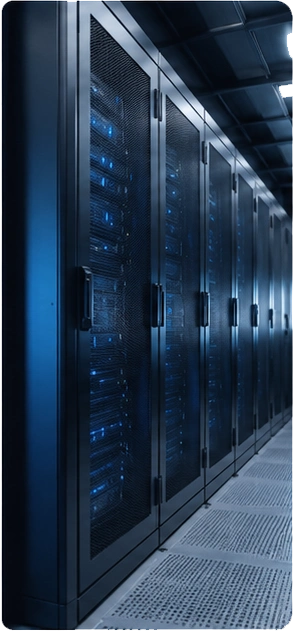
Data center infrastructure dedicated to your NAS
- Genuinely off-site backup
Your NAS is physically located away from your premises. - Redundant power supply
UPS systems and backup generators. - Data center network
Redundant connectivity and network paths. - Controlled physical access
Secure environment with controlled access 24/7. - Hardware supported by Ikoula
On-site intervention and hardware replacement when needed.
Testimonial
How I built my entire web environment on a Synology, without specialist technical knowledge
I was looking for a simple solution to host my project and scale it up gradually.
I had no particular experience in Linux server administration or setting up a complete server environment. With DSM, I was able to install my first services through a graphical interface, then add new tools as my needs grew. Today, everything is centralized in one place: installation, updates, access to services, and remote backups of my data.
I stay independent and can grow my environment without having to manage complex infrastructure
— Alex, Synology User
Questions & Answers About our dedicated Synology® servers
The power of Synology, hosted in our data centers in France. Your data remains under your control, in an environment designed to protect it.
- What is a NAS?
A NAS (Network Attached Storage) is a storage server accessible over a network. It lets you centralize, back up, share, and synchronize your data, while offering numerous services through Synology DSM applications.
- Why host a Synology NAS in a data center?
A NAS installed on your premises remains exposed to the same risks as your business: power outages, Internet failures, theft, fire, or other incidents. Hosted in an Ikoula data center, your Synology benefits from a professional environment with redundant power and networking, controlled physical access, and the possibility of hardware intervention.
- Where is the data on my Synology NAS hosted?
Your Synology NAS is hosted in Ikoula data centers in France. Your data stays on the disks of your own NAS, and you retain control over how it is organized and used.
- Can anyone access the data backed up on my Synology hosted by Ikoula?
You remain in control of access to your Synology. You manage accounts, access rights, and security settings directly in DSM. It is therefore up to you to determine who can access your data and applications.
- Who administers my Synology NAS?
You remain the administrator of your Synology and DSM. You manage users, applications, backups, and security settings. Ikoula handles equipment hosting and the physical infrastructure needed to operate it.
- Am I free to install whatever I want on my Synology NAS?
Yes. You have administrator access to DSM and can install applications compatible with your model from the Synology Package Center, as well as configure your NAS to suit your needs.
- What happens if my NAS has a hardware failure?
Because your Synology is physically hosted by Ikoula, you do not need to travel to a data center to work on the hardware. Ikoula teams can carry out the necessary physical interventions on the equipment as part of the service included with your offer.
- Can I back up Microsoft 365, my computers, or my servers to a Synology?
Yes, depending on the model and compatible Synology applications. The Synology ecosystem can centralize different types of backups, including workstations, servers, virtual machines, and Microsoft 365 services. This is one of the key benefits of models designed for business use.
- Which Synology NAS should I choose for my business?
It mainly depends on how you plan to use it. The DS124 is suitable for a first private storage and file-sharing space; the DS224+ offers more options for centralizing and protecting business data; and the RS822+ is better suited to backup, capacity, and business continuity needs.
- What is the difference between a Synology NAS and conventional cloud storage?
Cloud storage primarily provides space to store data. A Synology is a complete dedicated server: storage, file sharing, synchronization, backup, applications, web services, and many other functions can be brought together on a single platform managed through DSM.
Can't find the answer you're looking for? Contact our support team